Guides
Buy one XIAO ESP32S3, then flash it in your browser
Run it today on a $7 board:
The board to buy
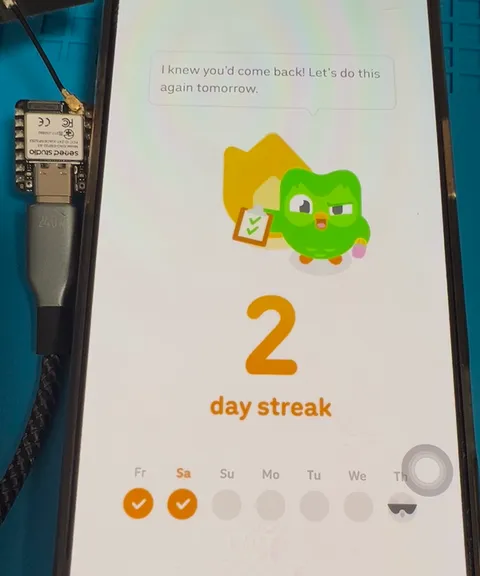
Seeed Studio XIAO ESP32S3, standard version
8 MB flash, 8 MB PSRAM, with its Wi-Fi/Bluetooth antenna in the box. Seeed part number 113991114. This is the board the browser installer flashes. Not the Sense, not the Plus, not an ESP32-C3.
- 1 Buy the board about $7.50 + a USB-C data cable
- 2 Flash it in your browser about a minute, Chrome or Edge
- 3 Install the app, give it a task free on TestFlight, a few minutes
On Amazon, the listing has several boards: pick ESP32S3, not ESP32S3 Sense or the C3/C5/C6. Seeed’s own store lists it at about $7.49 to $7.99, depending on the warehouse. Check the price on the listing before you pay.
Also get a short USB-C data cable (about 30 cm, not charge-only) to flash it. Amazon links on this page are affiliate links: as an Amazon Associate we earn from qualifying purchases, at no extra cost to you.
After it arrives
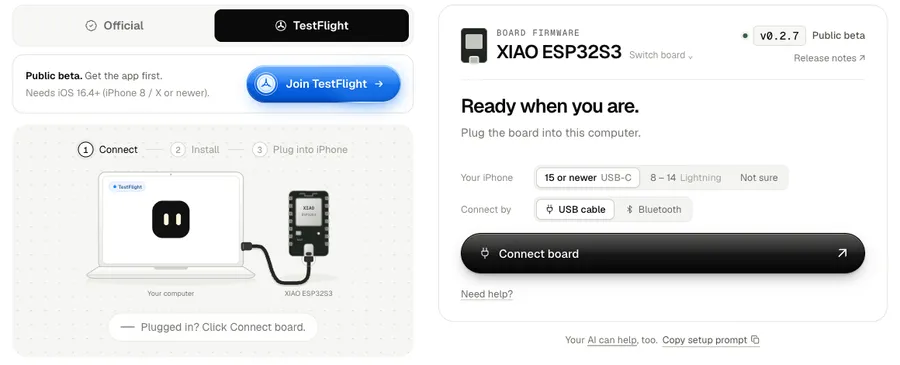
- Flash it in your browserAbout a minute, once · computer with Chrome or Edge
Open the install page, plug the board into the computer with the data cable, click Connect board, and pick it. The install itself takes about half a minute.
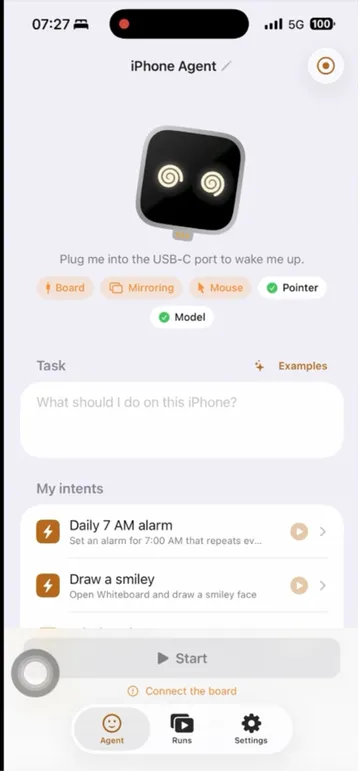
- Install the free app from TestFlightA few minutes · on the iPhone
Open the TestFlight invite on your iPhone, then follow the app’s four setup screens: pair the board, start Screen Mirroring, turn on AssistiveTouch, and pick the free AI service.
- Give it a first taskAbout a minute
Type “Open Settings and go to Wi-Fi” and press Start. Prefer your own agent? Claude Code or Codex can drive the phone through the CLI and MCP.
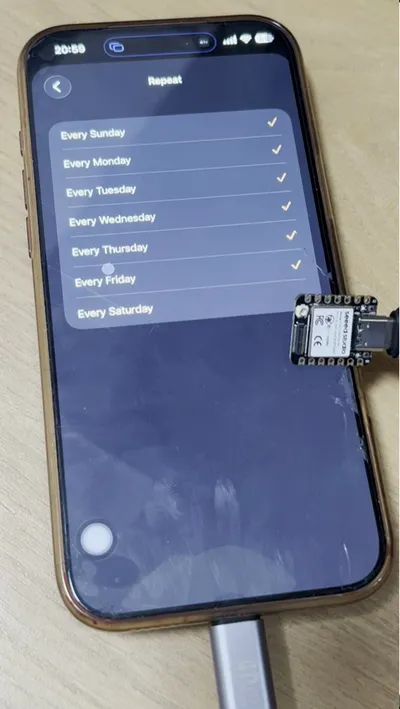
Watch the demo video first, or the setup walkthrough on Set up the AI iPhone agent.
Your iPhone
- USB-C iPhone (iPhone 15 and newer): plug the board in with the short cable, or use Bluetooth mode.
- Lightning iPhone (iPhone 14 and older): use Bluetooth mode, with the board on any USB charger or power bank. Or, wired, a Lightning to USB 3 Camera Adapter.
- iPhone XS or newer on iOS 18, or iPhone 8 / X on iOS 16.4+ with the TestFlight app 1.0.9+. Keep cellular data on: the phone’s Wi-Fi joins the board for Screen Mirroring.
Attach the antenna before you pair. Without it, Bluetooth may not connect. Specs and the antenna socket are on the Seeed wiki; cables and phones in more detail are in Hardware and buying.
The installer also has an experimental build for the M5Stack StopWatch. It works over Bluetooth only and needs the TestFlight app 1.0.9+. Start with the XIAO ESP32S3 unless you already have one.
Other stores
North America
- Amazon US. Pick the ESP32S3 option.
- Seeed Studio. The maker’s listing for the standard XIAO ESP32S3.
- DigiKey. Seeed part 113991114.
- Mouser. The same Seeed part.
Europe
- Seeed Studio. The same official listing. Seeed ships internationally.
- Mouser Europe. Part 113991114.
- DigiKey. The same part. DigiKey sells into Europe.
- Kiwi Electronics (Netherlands). Product code SS-113991114, the standard board, not the Sense.
Southeast Asia
- Seeed Studio. Seeed is in Shenzhen. This is the maker’s store for the standard board.
- DigiKey and Mouser. Both list part 113991114 and ship internationally. Confirm the ship-to country on the listing.
In mainland China, see the Chinese version of this page for Seeed’s Tmall and JD stores.
The Manina device is not this board
A plug-and-play Manina device is a different product. It is not for sale, it has no final price, and it has no ship date. Join the Manina device waitlist if you want that one. Joining is not an order, and it does not reserve one. Early birds may get a unique invite code.
Run it today on a $7 board: